Review, correct, or confirm a match
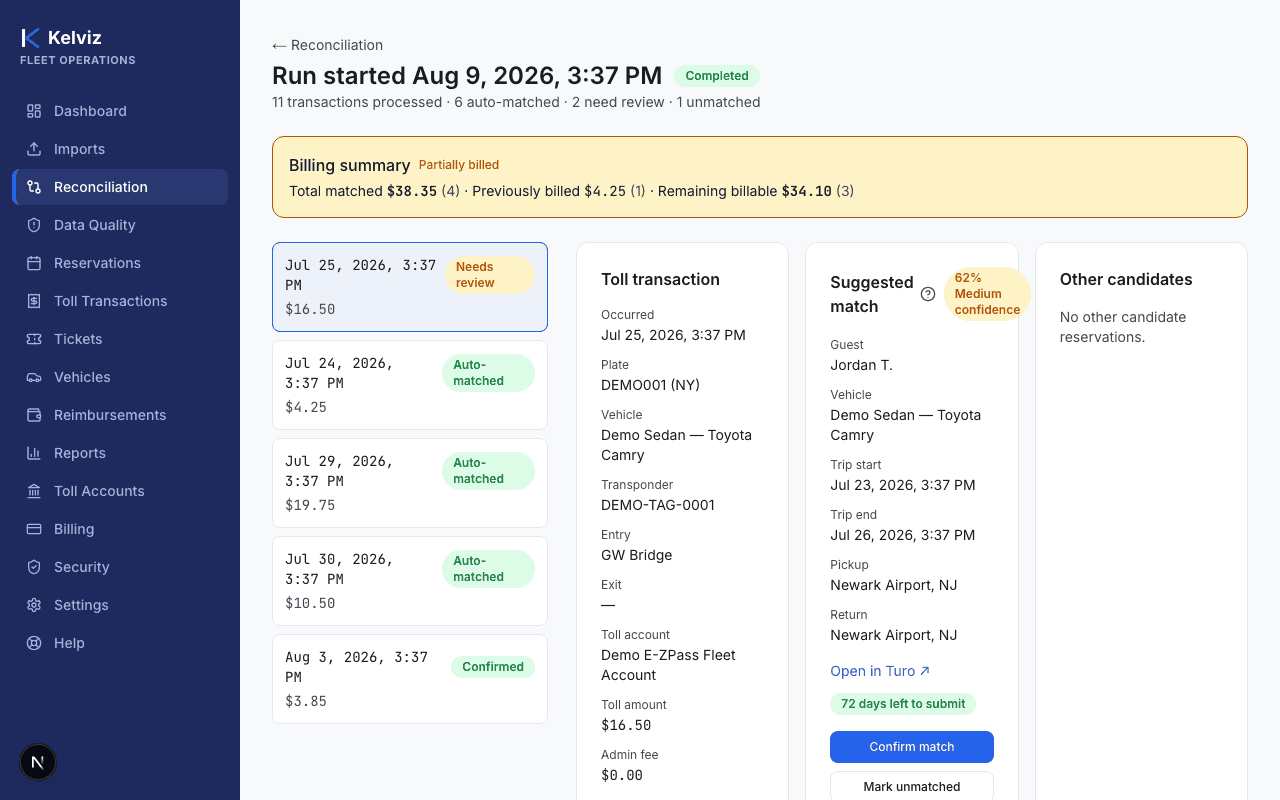
Confirm a suggested match, choose a different reservation, or mark a toll transaction unmatched.
Last updated
Who can do this: Owners, admins, operators, and reviewers — reviewer is the one role whose entire purpose is confirming and correcting matches.
Steps
- 1
Open Reconciliation, select a run, then select a transaction from the list to review it.
- 2
If a suggested match is shown, select Confirm match to accept it.
You can also review the match reasons shown alongside the suggestion before deciding.
- 3
If a better candidate is listed under "Other candidates," select Choose this match on that candidate instead.
- 4
If no reservation should be matched, select Mark unmatched.
- 5
If this transaction shouldn't be considered for billing at all (e.g. personal use), select Exclude transaction.
- 6
Optionally select Add note to record context for anyone reviewing this later.
Expected result
The transaction's status updates immediately and it's removed from the needs-review queue.