How to Fix "No Matching Vehicle" in Turo Fleet Data
A "no matching vehicle" issue means a transaction can't be reliably tied to a fleet vehicle — how to fix it safely.
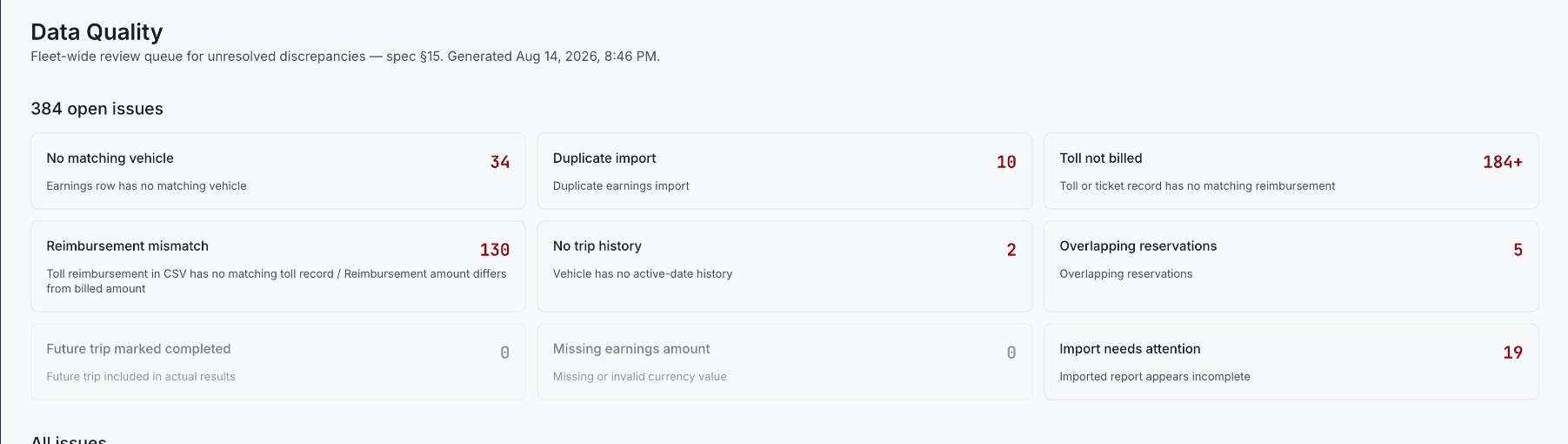
"No matching vehicle" is one of the categories on Kelviz's Data Quality screen — it means an earnings row (or another record) doesn't match any vehicle on file. Until it's resolved, that record can be excluded from matching, earnings, utilization, or reimbursement calculations entirely, not just flagged and ignored.
Compare identifiers, not just names
Review the source and fleet record for the Turo vehicle ID, VIN where available, license plate and state, the vehicle's internal name, its active/inactive status, and effective dates. Names alone are fragile — "2014 Jeep Compass," "Compass Black," and a plate-based name can all describe the same car while failing an exact text comparison.
Check historical identity before assuming it's simply missing
A vehicle's current plate can't always match an old reservation — preserve plate changes, vehicle replacements, deactivation dates, and Turo listing identifiers over time rather than only keeping the current snapshot.
Don't force a merge, and recalculate afterward
Don't join two vehicle records just because their names look similar — verify stable identifiers and date ranges first, since an incorrect merge can contaminate every reservation and toll connected to both records at once. After fixing the actual relationship, rerun or refresh affected matching and reporting so the reservation gets included correctly going forward — a corrected vehicle link doesn't retroactively fix numbers that already ran before the correction. A current plate can't identify the vehicle at a past toll's timestamp on its own — see How Kelviz Matches Toll Transactions to Turo Reservations for why that specific distinction matters to the matching engine.
Kenneth Elliott operates Elliottz Motors and has managed more than 1,000 Turo trips.