From Toll Export to Guest Billing: A Kelviz Workflow Example
A reliable toll workflow has four stages — import, reconcile, resolve data problems, track recovery — walked through end to end.
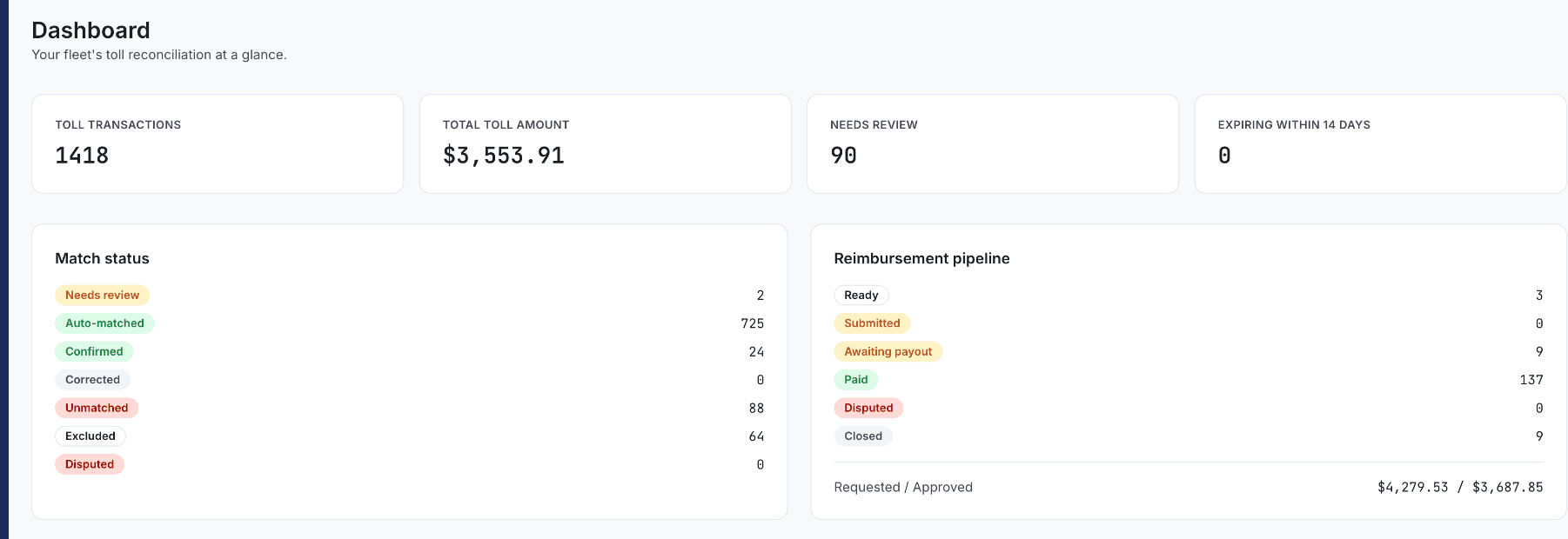
A reliable toll workflow has four connected stages: import the source data, match each transaction, review whatever's uncertain, and track the resulting reimbursement case through to a real outcome. Each stage is covered on its own elsewhere on this site — this article walks through how they connect as one path from a provider export to a resolved guest charge.
Stage 1: Import, then Stage 2: Reconcile
Upload the provider's supported export and review the import report for new, duplicate, and rejected rows before anything else happens — see How Kelviz Prevents Duplicate Toll Imports. From there, matching runs against the imported reservation history, and the run's results show automatic matches, unresolved records, and remaining billing value — see How Kelviz Matches Toll Transactions to Turo Reservations for the mechanics behind that step.
Stage 3: Resolve data problems, then Stage 4: Track recovery
Data Quality surfaces missing vehicles, overlapping trips, incomplete imports, reimbursement mismatches, and similar blockers before they quietly distort a match or a bill. From there, eligible reviewed charges move through Turo's own process, with the resulting case tracked as pending, approaching a deadline, or paid — see How to Track Turo Toll Reimbursements From Pending to Paid.
The workflow makes recommendations — a person stays in control
At every stage, the goal is a clear recommendation without hiding the underlying uncertainty, not a fully automated pipeline that quietly decides on the host's behalf. Hosts remain responsible for accurate evidence, policy eligibility, and the actual submission through Turo — Kelviz organizes the path between those four stages rather than replacing the judgment calls inside them.
Kenneth Elliott operates Elliottz Motors and has managed more than 1,000 Turo trips.