Review OCR-extracted fields
Check the fields Kelviz read off an uploaded document before relying on them.
Last updated
Who can do this: Reviewers, operators, admins, and owners can view and edit; approving requires owner, admin, or operator.
Treat extraction as a draft, not a fact
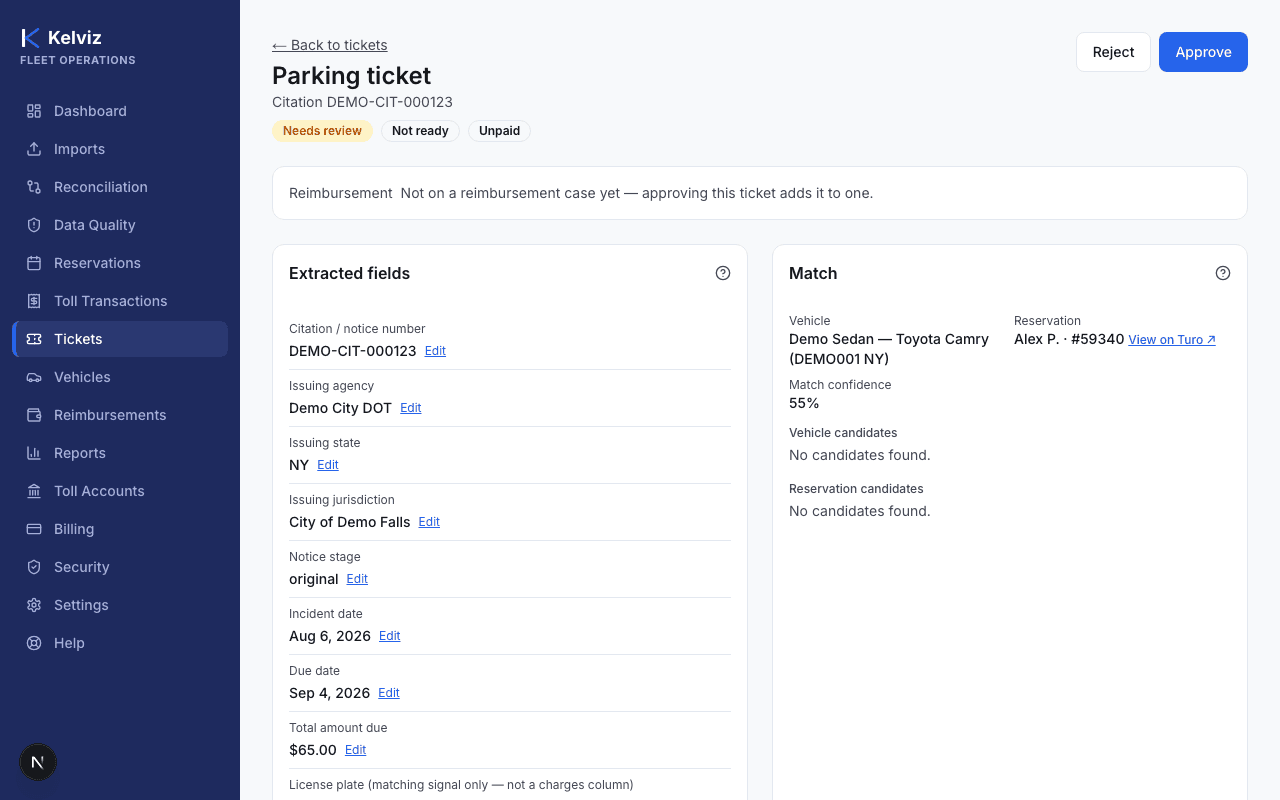
OCR extraction is not infallible. Each extracted field has its own confidence, and the overall document gets a confidence estimate too. Always review the "Extracted fields" panel against the source document before approving a charge — approving is what commits you to billing a guest for it.
Steps
- 1
Open the ticket from the Tickets list.
- 2
Compare each field in the "Extracted fields" panel — Citation / notice number, Issuing agency, Issuing state, Issuing jurisdiction, Notice stage, Incident date, Due date, Total amount due — against the source document shown alongside it.
Expected result
You know which fields, if any, need correcting before matching and approving this charge.